Appliance settings
The DC Netscope virtual machine reads a few settings when it starts: its network configuration, and the first administrator account. This page lists them, and the ways to give them to the virtual machine. The installation guides of VMware, XCP-ng and Nutanix show the usual way for each platform.
Settings
| Setting | Meaning | Default |
|---|---|---|
email |
Email of the first administrator of DC Netscope. | admin@example.com |
os_password |
Password of this administrator, and of the root account of the virtual machine. |
password |
ip_mode |
static, dhcp, or cloud-init to let cloud-init configure the network itself (see the cloud-init examples). |
cloud-init |
static_ip |
Address of the virtual machine, in static mode. |
|
static_netmask |
Netmask, in static mode. |
|
static_gateway |
Gateway, in static mode. |
|
dns_ip |
DNS server of the virtual machine. | |
xo |
Xen Orchestra to connect to, on XCP-ng only: see below. |
Warning
Always set os_password: with its default value, anybody reaching the virtual machine could log in as root.
VMware: vApp options
On VMware, the settings are the vApp options of the virtual machine. They are asked by the Customize template page
of the Deploy OVF Template wizard:
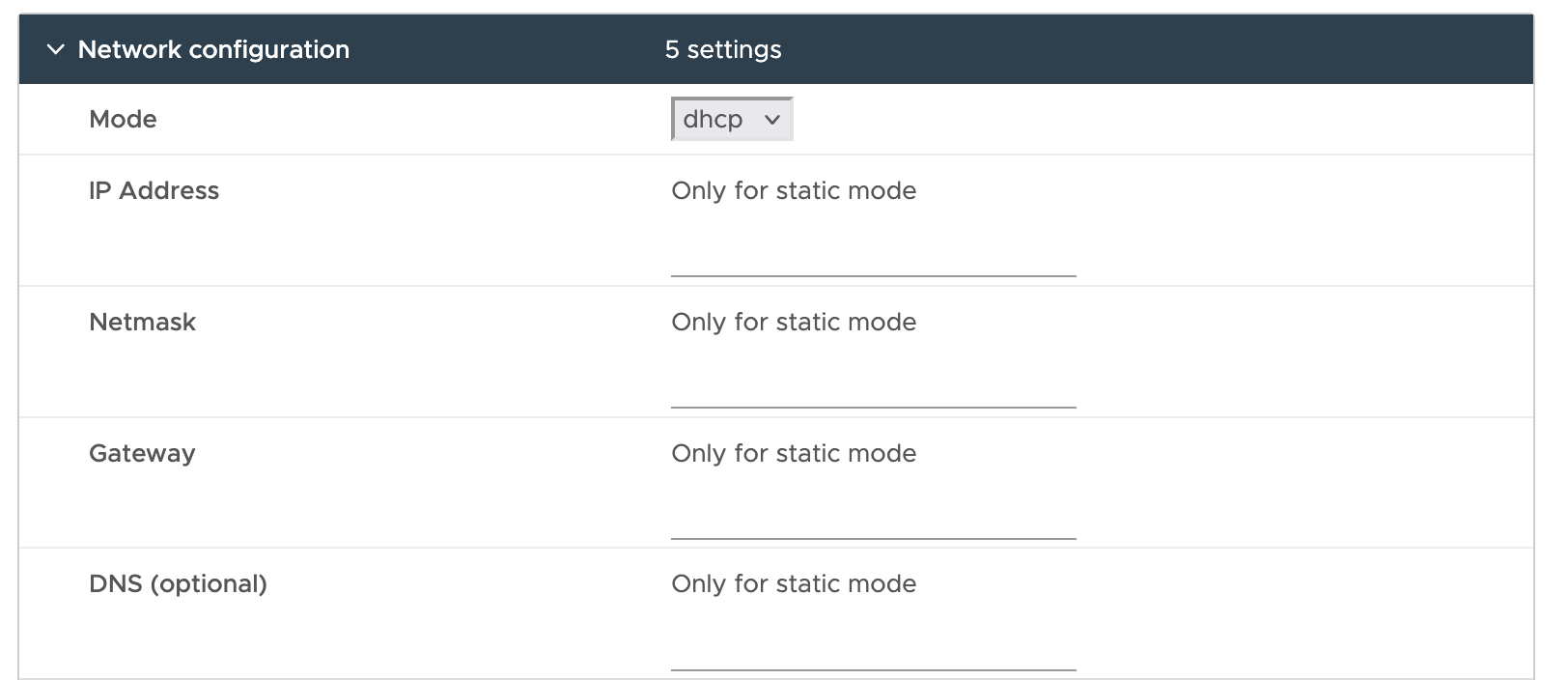
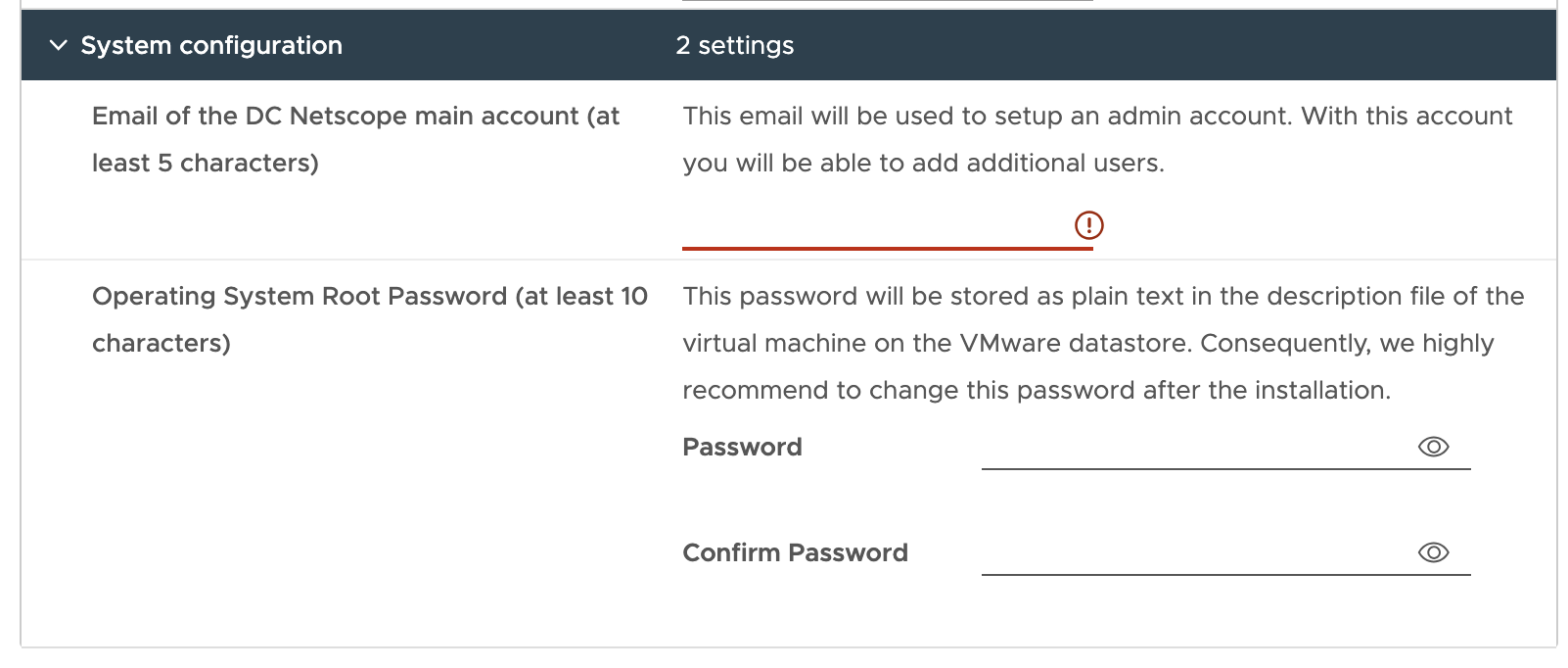
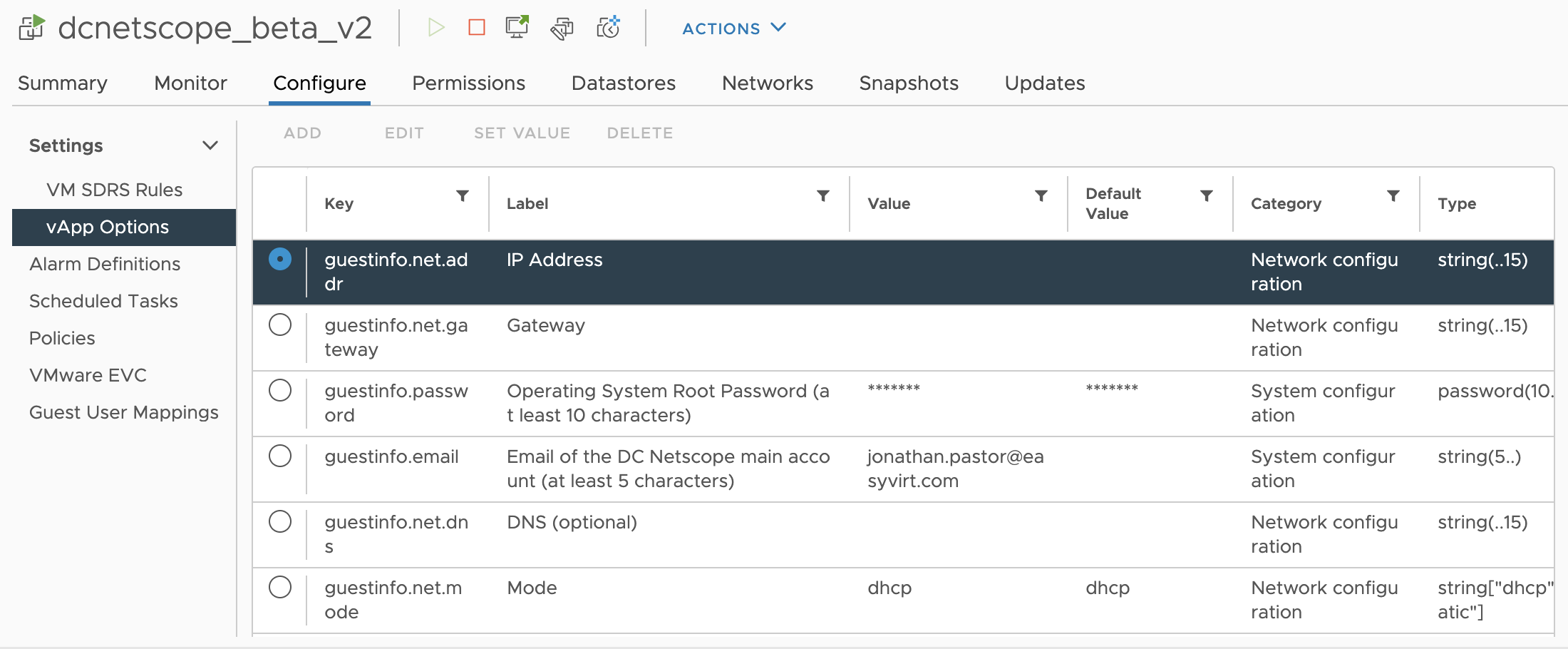
To change them after the import, power the virtual machine off, select it in the vSphere Client, then edit
Configure > vApp Options:
Cloud-init user data
On the platforms that give a user data to cloud-init, such as Nutanix, DC Netscope reads its settings from it, as a JSON document:
{
    "email": "admin@example.com",
    "os_password": "a-strong-password",
    "ip_mode": "static",
    "static_ip": "192.168.1.50",
    "static_netmask": "255.255.255.0",
    "static_gateway": "192.168.1.1",
    "dns_ip": "192.168.1.1"
}
From the virtual machine, cloud-init query --all shows the user data DC Netscope received:
{
    "userdata": "{\"email\": \"admin@example.com\", \"os_password\": \"a-strong-password\"}"
}
XCP-ng: cloud-init file
On XCP-ng, DC Netscope reads its settings from the file /tmp/cloud_init_conf, as a JSON document. It accepts one more
setting, xo, with which DC Netscope connects to Xen Orchestra on its own:
url: address of Xen Orchestra,username: Xen Orchestra account,password: password of this account.
{
    "email": "admin@example.com",
    "os_password": "a-strong-password",
    "ip_mode": "dhcp",
    "xo": {
        "url": "192.168.0.25",
        "username": "dcnetscope-readonly",
        "password": "xo-password"
    }
}
Manual configuration
On every platform, the settings can also be written, in YAML, in the file /etc/dcnetscope.yml of the virtual machine:
email: "admin@example.com"
os_password: "a-strong-password"
ip_mode: "static"
static_ip: "192.168.1.50"
static_netmask: "255.255.255.0"
static_gateway: "192.168.1.1"
dns_ip: "192.168.1.1"
Reboot the virtual machine for DC Netscope to apply them.